
What is Zero-Touch Enrollment?
In short: zero-touch enrollment is Google's process for setting up company-owned Android phones and tablets for enterprise management. On first boot, the device checks whether your organisation has assigned a configuration to it. If so, it downloads your EMM app and sets itself up as a fully managed device, so IT does not need to prepare each device by hand. Samsung devices can also use Samsung Knox Mobile Enrollment.
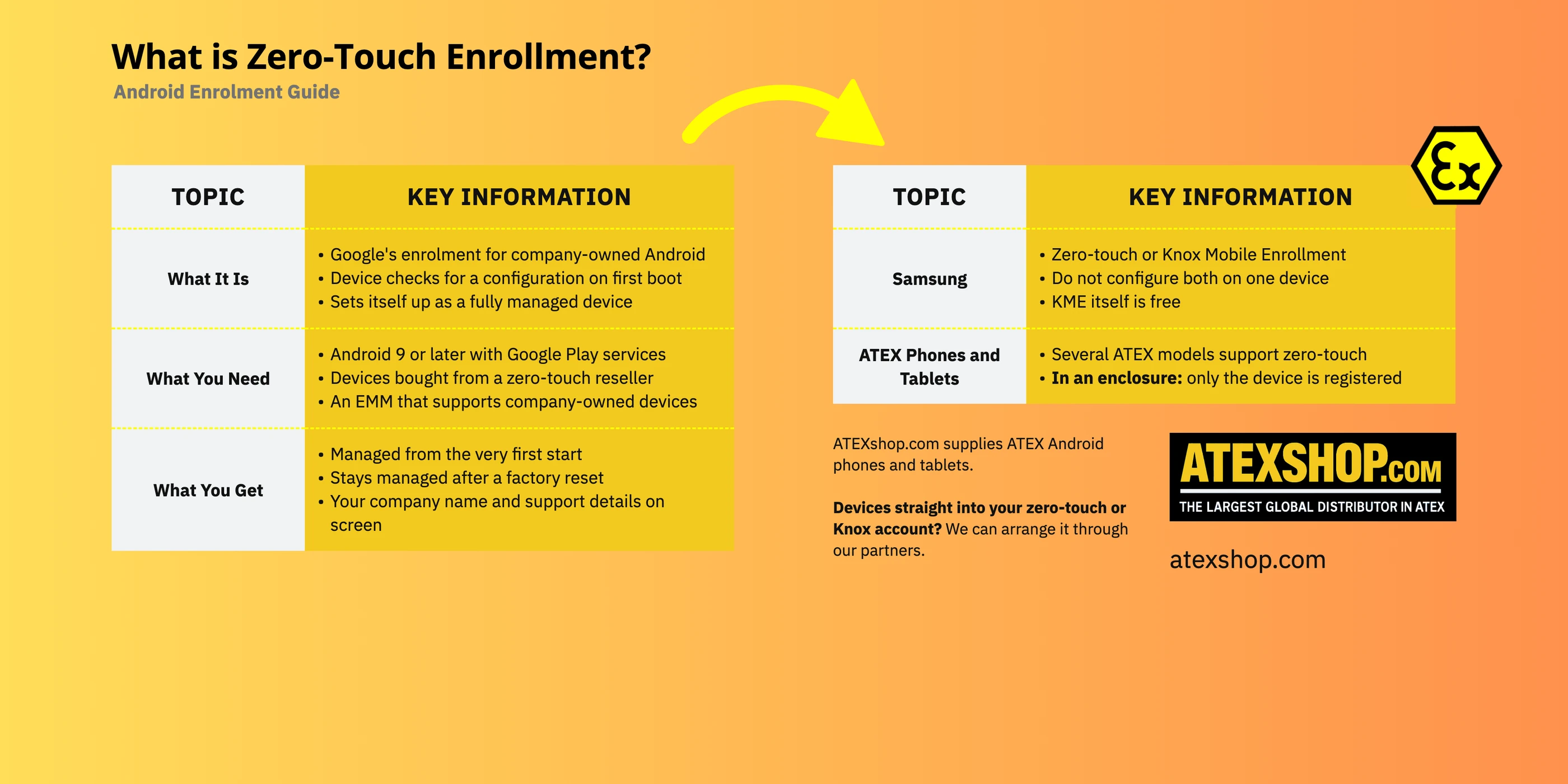
This page explains how zero-touch works, what you need, how it relates to Samsung Knox Mobile Enrollment, and what it means for ATEX Android phones and tablets used in hazardous areas. For iPhones and iPads, see What is Apple DEP?
How zero-touch enrollment works
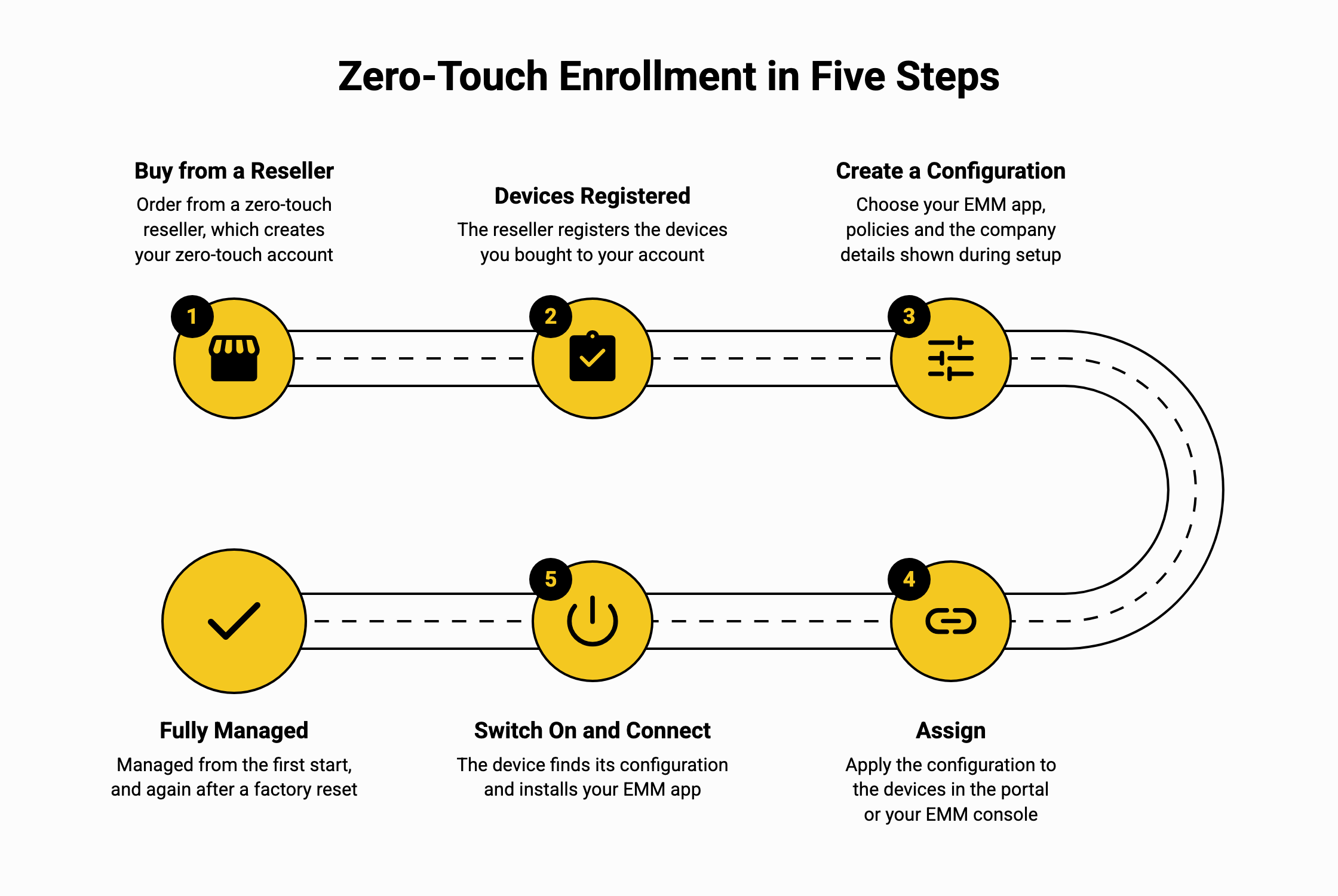
- Buy from a zero-touch reseller. When you first buy devices registered for zero-touch, the reseller creates your zero-touch account. You give the reseller a Google Account linked to a corporate email address, not a personal Gmail account.
- Devices are registered. The reseller registers the devices you bought to your zero-touch account.
- Create a configuration. A configuration combines the EMM app (device policy controller) to install, the policies to apply, and the details shown on the device during setup, such as your company name, support email and support phone number.
- Assign the configuration to your devices in the zero-touch portal or, if your EMM supports it, from your EMM console.
- Switch on and connect. On first boot the device finds its configuration, downloads your EMM app and is set up as a fully managed device.
What you need
- A compatible device: a phone or tablet with Android 9.0 or later, a compatible device with Android 8.0, or a Pixel phone with Android 7.0. The device must support Google Mobile Services, with Google Play services enabled. Google notes that zero-touch is blocked on some models, and that supported devices vary by reseller.
- Devices bought from a zero-touch reseller or Google partner, not from a consumer store.
- A zero-touch account, created by an authorised zero-touch reseller.
- An EMM that supports company-owned devices. According to Google, most EMM providers for Android support zero-touch.
- A data connection during setup: Ethernet, Wi-Fi or mobile data. The setup wizard blocks roaming data by default.
Google notes that zero-touch may be subject to reseller fees in certain countries.
What you get
- Devices set themselves up as managed on first boot, so IT does not need to prepare each device by hand.
- Your company name and support contact details appear during setup.
- You stay in control after a factory reset, as long as the device remains registered and has a configuration assigned.
- Devices can be deregistered, for example when ownership is transferred. To register a device again, contact the reseller.
Samsung devices: Knox Mobile Enrollment
Samsung offers its own route, Knox Mobile Enrollment (KME), for bulk enrolment of company-owned Samsung devices. Samsung devices with Android 9.0 or later also support zero-touch, so you can choose either.
| How devices are added | A Samsung-approved reseller in the Knox Deployment Program uploads the device IDs, and you approve the upload in the Knox Admin Portal. Devices not bought from such a reseller can be added with a QR code (Android 10 or later). |
| Cost | KME is free. You need access to the Knox Admin Portal, for example through the Knox Suite Base Plan. Some advanced settings need a paid Knox Suite Enterprise Plan licence. |
| Zero-touch and KME together | Google does not recommend configuring both on the same device. If both are configured, the device enrols through KME. |
| Knox Deployment App | Deprecated by Samsung in 2025. Use a reseller upload or a QR code instead. |
Zero-touch for ATEX phones and tablets
Several ATEX Android devices are listed by Google as Android Enterprise Recommended with zero-touch support, for example the Pepperl+Fuchs (ecom) Smart-Ex 203 and Smart-Ex 03, and the i.safe MOBILE IS540 and IS930 tablet, for which Google's listing gives security updates until January 2027. Google's listing covers specific Android versions and gives a security update end date per model, so check the current Android Enterprise Recommended listing or ask us before you order.
For an Android device inside an ATEX enclosure, such as the Armadex Ex UniCase with a Samsung Galaxy Tab or the Xciel XCS23 for the Galaxy S23, only the phone or tablet itself is registered. The Galaxy Tab A11+, Galaxy Tab S10 FE, Galaxy Tab S11 and Galaxy S23 are also listed by Google as Android Enterprise Recommended with zero-touch support.
- We arrange it: through our partners, we can arrange zero-touch registration or Knox Mobile Enrollment for the devices you order from us. When you request a quote, tell us whether you already have a zero-touch account. If not, give us a Google Account linked to your corporate email address so one can be created. For Knox Mobile Enrollment, give us your Knox Customer ID.
- Set up before use in the zone: do any setup that needs a cable, and any opening of an enclosure, outside the hazardous area and in line with the product's instructions.
- Plan connectivity: zero-touch needs a data connection during setup. Plan Wi-Fi access or a SIM card before the devices go to site.
Browse our explosion proof smartphones and intrinsically safe tablets.
Frequently asked questions
Is zero-touch enrollment free?
Google notes that zero-touch may be subject to reseller fees in certain countries. Your EMM may have its own costs. Samsung Knox Mobile Enrollment is free, with some advanced options in a paid Knox licence.
Can I use zero-touch for devices I already own?
Zero-touch is designed for devices bought from a zero-touch reseller, which registers them for you. Devices you already own can be set up as fully managed in other ways, for example with a QR code from your EMM on a new or factory-reset device, if your EMM supports it. For Samsung devices not bought from a Knox Deployment Program reseller, Samsung offers Knox Mobile Enrollment by QR code on Android 10 or later.
What happens after a factory reset?
As long as the device remains registered and has a configuration assigned, it enrols again after a reset.
Should I use zero-touch or Knox Mobile Enrollment for Samsung?
Both routes are available for Samsung devices, provided your reseller supports the route you choose. Samsung officially supports Knox Mobile Enrollment on the latest five major Android versions. Choose one per device: Google does not recommend configuring both, and if both are configured the device enrols through Knox Mobile Enrollment.
Does zero-touch work for ATEX devices?
That depends on the device model, its software and the reseller, not on the ATEX certification. Several ATEX phones and tablets support it. Ask us about a specific model, or contact us for advice.